
Smart Lock Battery Backup: Plan Before Power Runs Out
On this page
Quick answer
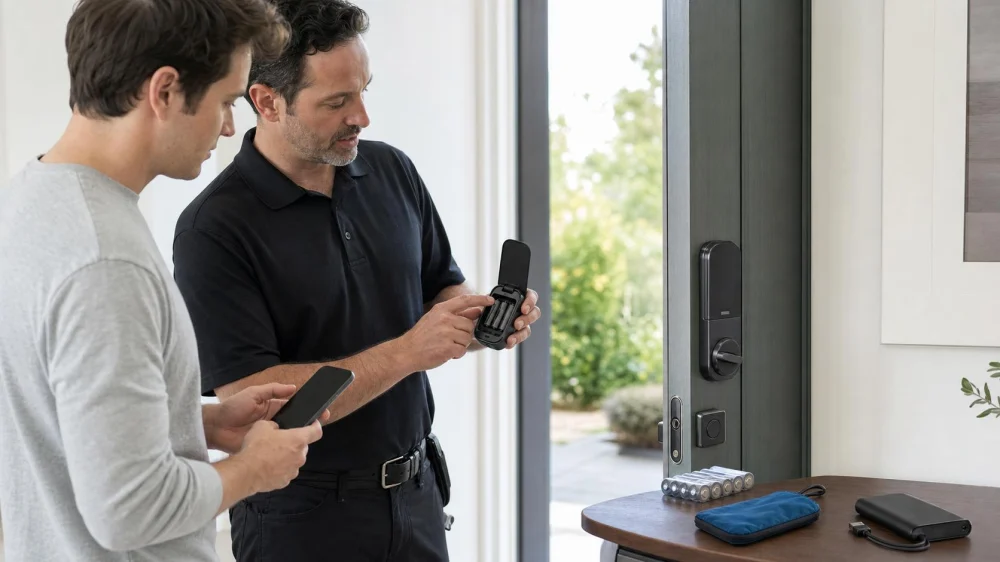
Before a smart lock battery dies, confirm the exact model, read its manual, replace batteries at the first low-power warning, and prepare the manufacturer-approved backup: a mechanical key, external battery contacts, USB jump-start port, or another documented method. Keep the required key or fresh power source accessible outside the locked space but securely controlled. Test normal entry and physical egress while the door is open.
Emergency power temporarily energizes a lock so an already authorized credential can be presented. It does not replace a valid code, key, card, phone credential, or other authentication method.

Identify what your exact lock supports
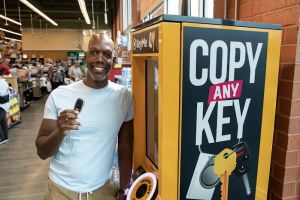
- Mechanical key override: Some smart locks retain a conventional cylinder. Verify the correct key works and is not stored only inside the property.
- External battery contacts: Some keyless models accept a specified battery at exterior contacts while the user enters a valid code.
- USB emergency port: Certain newer locks accept temporary external power through a stated connector. The port may not charge internal batteries.
- Authorized alternate credential: A fob, card, local keypad code, or Bluetooth credential may work during a network outage if the lock itself still has power.
- Professional or property-management procedure: Managed buildings may require staff credentials, audit steps, or a locksmith rather than a consumer backup method.
Do not copy instructions from a similar-looking lock. Battery chemistry, voltage, contact location, credential behavior, and lock state differ by model and firmware.
Create a battery maintenance routine
- Record the brand, exact model, serial information, manual link, battery type, and installation date.
- Enable low-battery notifications where available and teach occupants the lock's light and sound signals.
- Use only the battery type and mixing rules specified by the manufacturer. Replace the complete set when instructed.
- Inspect the interior compartment for leakage or corrosion during replacement. Stop and contact support if contacts are damaged.
- Investigate unusually short battery life. Door or strike binding can make a motor work harder; connectivity settings, temperature, and usage can also matter.
- Test all authorized credentials after battery replacement while maintaining another way back inside.
Test without creating a lockout
Keep the door open and have a second authorized adult present. Confirm the mechanical key or documented emergency-power setup exactly as the manual describes, but do not deliberately drain or disconnect power if the manufacturer warns against it. Verify that the deadbolt moves freely without pushing or pulling the door.
Then document a simple sequence: recognize low battery, replace batteries, locate backup equipment, apply temporary power if supported, present a valid credential, enter, replace internal batteries, and confirm the lock state. Store the instructions without including reusable access codes.
Plans for rentals, caregivers, and shared properties
- Assign who receives battery alerts and who may replace batteries.
- Keep an audited backup credential for authorized emergency use.
- Explain what happens during Wi-Fi, hub, phone, and lock-battery outages separately.
- Schedule battery checks before guest stays, caregiver shifts, severe weather, or extended vacancy.
- Provide a verified support and locksmith contact instead of encouraging improvised entry.
- Revoke temporary credentials when access ends and review the activity log if the system provides one.
Security and safety boundaries
Never store the mechanical key in an obvious unsecured hiding place or publish emergency-power instructions together with an access code. Temporary power still requires authentication, and repeated guessing may trigger a lockout or alarm.
Do not alter fire-rated doors, required egress hardware, apartment common doors, or managed access-control devices without authorization. Interior exit must remain available as required; if someone cannot exit during an emergency, call 911.
Evidence note: Current manufacturer documentation shows that backup methods are product-specific: some models retain a standard key, while others use 9-volt contacts or a USB-C jump-start port. Manufacturer instructions also emphasize responding to low-battery warnings. This guide describes planning, not bypassing authentication.
Frequently asked questions
Will a smart lock work during a power outage?
Many residential units run on internal batteries, but hubs, Wi-Fi, remote control, and notifications may stop. Confirm local keypad, key, or Bluetooth behavior for the exact model.
Does external emergency power unlock the door automatically?
Normally no. It supplies temporary power so a valid authorized credential can be used according to the manual.
Should I keep a 9-volt battery outside?
Only if the exact lock uses that method. Store it securely, protect its terminals, check freshness, and do not store it with the access code.
Why are new batteries draining quickly?
Possible causes include door binding, poor battery compatibility, extreme temperature, connectivity activity, or a lock fault. Check alignment and contact manufacturer support.
Next steps
Photograph the interior model label, download the correct manual, identify the approved backup, and place a battery check on the household calendar. Run a door-open practice with authorized users and store a short, code-free recovery card where the responsible person can reach it.
 Chicago Locksmiths5.0 (2209 reviews)
 KeyMe Locksmiths4.0 (6 reviews)
 KeyMe Locksmiths4.0 (83 reviews)
 KeyMe Locksmiths5.0 (1 reviews)
 The Auto Lock Doc5.0 (32 reviews)
 Minute Key0.0 (0 reviews)
 Understanding the Different Types of Locks and Their Uses
 How to Find a Reliable Locksmith for Safe Installation
 Can a Locksmith Duplicate High Security Keys Near Me Explained
 Exploring the Most Common Locksmith Services in the US
 How to Choose a Locksmith with Emergency Availability | Tips for Hiring a Locksmith
 Reliable Locksmith Near Me in Phoenix AZ for Same Day Service Guide