
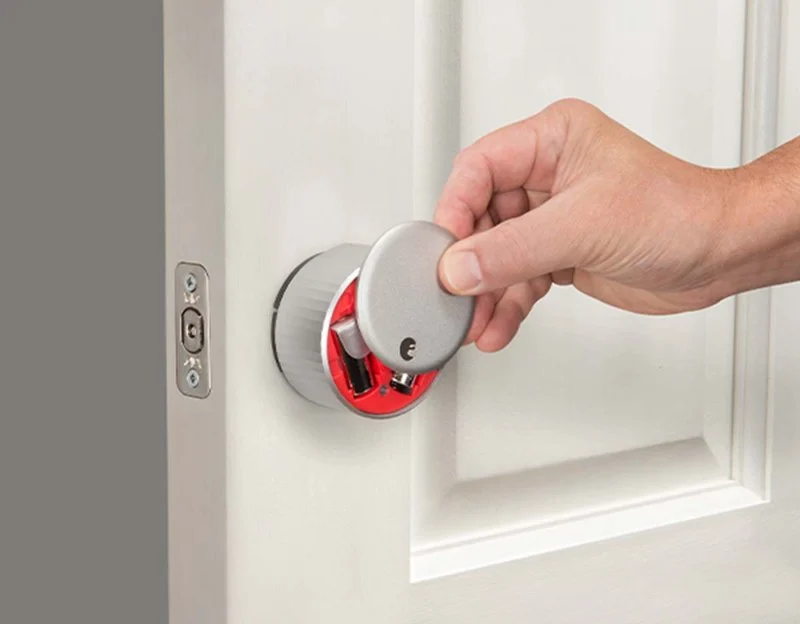
1. Introduction: Locked Out Due to Smart Lock Failure
Smart locks are a convenient and secure way to protect your home, but like any technology, they can sometimes fail. Whether it's a power issue, software glitch, or a mechanical malfunction, a smart lock that fails to open can leave you locked out of your home. Don't panic—there are several steps you can take to troubleshoot the issue and get back inside quickly. In this article, we will guide you through the common causes of smart lock failure and provide practical solutions to resolve the problem.
2. Common Causes of Smart Lock Failure
Before you start troubleshooting, it's important to understand why your smart lock might be malfunctioning. Here are some common causes:
2.1 Battery Issues
One of the most common reasons for a smart lock failure is a dead battery. If your smart lock isn't working, the first thing to check is the battery. Most smart locks use standard batteries that can be replaced easily. If the battery is low, simply replace it and see if that resolves the issue.
2.2 Connectivity Problems
Many smart locks rely on Bluetooth, Wi-Fi, or Z-Wave for connectivity. If your lock is failing to unlock, there may be an issue with the connection between the lock and your smartphone or home automation system. Make sure that your phone or device is properly connected and within range of the lock. Also, ensure that your Wi-Fi or Bluetooth is working properly.
2.3 Software Glitches
Sometimes, software updates or settings changes can cause glitches in your smart lock’s functionality. If your lock stopped working after a recent update, try restarting the lock or restoring it to its factory settings. You may also want to check for any available updates for your lock’s app and install them to fix any bugs.
2.4 Mechanical Malfunctions
In some cases, the problem may be mechanical rather than electronic. A misaligned lock bolt or a jammed internal mechanism can cause the lock to fail. If you hear strange noises or if the key or app won’t turn the lock, it may be time to check the physical components and see if there’s an obstruction or misalignment.
3. How to Troubleshoot Your Smart Lock
Once you have an idea of what might be causing the failure, follow these troubleshooting steps to get your smart lock working again:
- 3.1 Check the Batteries
- 3.2 Reconnect the Lock
- 3.3 Restart or Reset the Lock
- 3.4 Inspect for Physical Damage
3.1 Check the Batteries
Start by checking the batteries in your smart lock. If they are low or dead, replace them with new ones. Most smart locks have a low battery indicator on the app, so be sure to monitor the battery levels regularly to avoid unexpected lockouts.
3.2 Reconnect the Lock
If the problem is related to connectivity, try reconnecting the lock to your phone or home automation system. Open the app, check the connection settings, and ensure your lock is paired properly with your device. You may also want to disable and re-enable the Bluetooth or Wi-Fi connection to reset the lock's communication.
3.3 Restart or Reset the Lock
If a software glitch is causing the lock to fail, restarting or resetting the lock might help. Refer to the lock’s user manual for instructions on how to perform a reset. Some locks require you to hold a button for a certain number of seconds or use a special pin to restore them to their original settings.
3.4 Inspect for Physical Damage
Sometimes, mechanical malfunctions are the cause of a lockout. Inspect the smart lock for any visible signs of physical damage, such as a bent bolt, jammed mechanism, or misalignment with the doorframe. If you notice any issues, gently adjust or lubricate the parts to ensure smooth operation.
4. When to Call a Locksmith
If you’ve tried the troubleshooting steps above and your smart lock still won’t work, it may be time to call a professional locksmith. A locksmith can help you unlock the door and may also be able to repair or replace the lock. If your smart lock is still under warranty, contact the manufacturer for assistance or a replacement.
To find a trusted locksmith in your area, visit Locksmith Finder for a list of recommended professionals.
 KeyMe Locksmiths3.0 (22 reviews)
 Minute Key0.0 (0 reviews)
 KeyMe Locksmiths4.0 (27 reviews)
 Mini Fob5.0 (7 reviews)
 Haley's Lock Safe & Key Service/ Haley's Guns and Knives4.0 (20 reviews)
 Nonstop Locksmith4.0 (2063 reviews)
 How to Protect Your Home from Lock Shimming: Locksmith Tips to Safeguard Your Property
 How to Protect Your Home from Forced Entry During Nighttime
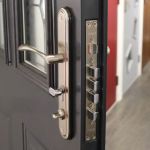 How to Secure Your Front and Back Doors With Deadbolts
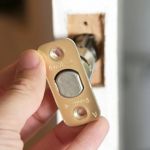 How to Replace Old Locks Without Compromising Security
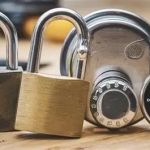 Understanding the Different Types of Locks and Their Uses
 How to Protect Your Car From Lock Manipulation Techniques