
- 1-Understanding-Smart-Locks
- 2-Benefits-of-Upgrading-to-Smart-Locks
- 3-Choosing-a-Reliable-Locksmith
- 4-Installation-Process-and-Safety-Tips
- 5-Real-Life-Examples
- 6-Maintaining-and-Managing-Smart-Locks
1. Understanding Smart Locks
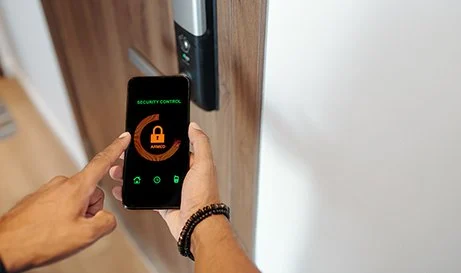
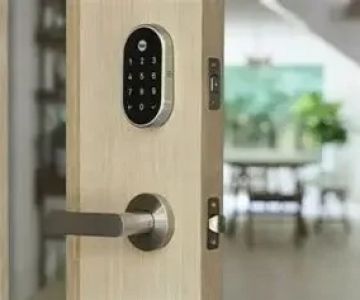
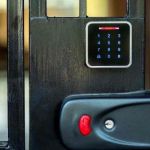
Smart locks are electronic locking systems that allow homeowners to control access to their property through smartphones, keypads, or biometric devices. Unlike traditional locks, smart locks offer convenience, security, and remote management features.

F & S Locksmith Lockout Service
BloomingtonMonroe CountyIndiana
2045 W Allen St, Bloomington, IN 47403, USA
1.1 How Smart Locks Work
Most smart locks use Bluetooth, Wi-Fi, or Z-Wave technology to communicate with your devices. Some models allow temporary digital keys for guests or service personnel, while others integrate with home automation systems for enhanced security monitoring.

1.2 Types of Smart Locks
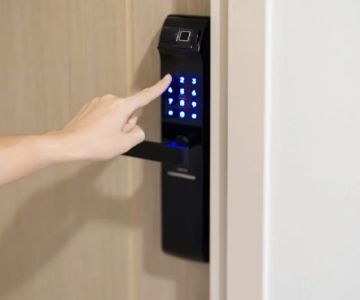
Popular types include keypad locks, fingerprint sensors, and app-controlled deadbolts. Choosing the right type depends on your lifestyle, home layout, and security needs.
2. Benefits of Upgrading to Smart Locks
Upgrading your home with smart locks offers multiple advantages, both in security and daily convenience.
2.1 Enhanced Security
Smart locks provide advanced encryption, tamper alerts, and access logs. This ensures that only authorized individuals can enter, reducing risks of break-ins and unauthorized access.
2.2 Convenience and Flexibility
No need to carry physical keys. You can grant temporary access to visitors or maintenance workers remotely, which is especially useful for busy households.
2.3 Integration with Smart Home Systems
Smart locks can integrate with security cameras, alarm systems, and voice assistants. This creates a comprehensive home security ecosystem, offering peace of mind and real-time monitoring.
3. Choosing a Reliable Locksmith
For installation and guidance, selecting a trustworthy locksmith is crucial.
3.1 Checking Credentials and Reviews
Look for licensed, insured locksmiths with strong local reviews. Platforms like Locksmith Finder provide curated listings of professionals experienced in smart lock installation.
3.2 Evaluating Experience with Smart Locks
Ensure the locksmith has specific experience with electronic or smart locking systems. Expertise ensures proper setup, prevents malfunctions, and maintains warranty coverage.
4. Installation Process and Safety Tips
Smart lock installation is straightforward but must be performed correctly to ensure security and functionality.
4.1 Pre-Installation Assessment
The locksmith evaluates your door, frame, and home layout to recommend suitable smart lock models, considering factors like Wi-Fi coverage and door thickness.
4.2 Installation Steps
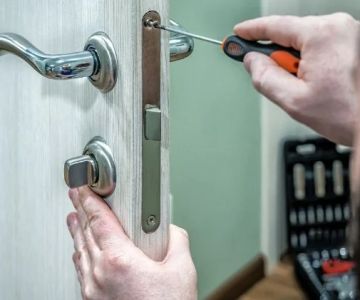
Typical steps include removing the old lock, attaching the new smart lock, syncing with devices, and configuring access controls. Professional installation prevents misalignment and operational issues.
4.3 Safety Precautions
Ensure software is updated, create strong digital keys, and enable two-factor authentication if available. These precautions protect against hacking and unauthorized entry.
5. Real-Life Examples
Real-life cases highlight the impact of smart locks.
5.1 Preventing Unauthorized Access
A homeowner in Los Angeles shared that after installing smart locks, delivery personnel could access the porch safely without giving physical keys, reducing the risk of theft and lost packages.
5.2 Managing Multiple Residents
Families with frequent visitors, like cleaners or caregivers, benefit from temporary digital keys. One New York resident avoided rekeying doors repeatedly by assigning timed access through the smart lock app.
6. Maintaining and Managing Smart Locks
Regular maintenance ensures longevity and reliability.
6.1 Routine Checks
Inspect batteries, test keypad or app connectivity, and check mechanical alignment. Smart locks require occasional firmware updates to maintain security.
6.2 Troubleshooting Tips
If locks fail to respond, reset the device according to manufacturer instructions or contact your locksmith. Avoid DIY tampering that could void warranties.
Upgrading to smart locks with a reliable locksmith near you enhances security, convenience, and peace of mind. For professional installation, trusted advice, and recommended smart lock models, visit Locksmith Finder to connect with experts and secure your home effectively.
 KeyMe Locksmiths5.0 (3 reviews)
 Ed The Locksmith5.0 (11 reviews)
 Kelley Locksmith4.0 (45 reviews)
 Minute Key0.0 (0 reviews)
 Minute Key2.0 (6 reviews)
 Emerson hardware and Locksmithing4.0 (36 reviews)
 How to Secure Your Shed: Locksmith Solutions for Maximum Protection
 Locksmith Advice: How to Maintain Your Locks Year-Round for Optimal Security
 What to Do If Your Key Fob Stops Working Suddenly
 What to Do If Your Key Won’t Come Out of the Lock | Locksmith Finder
 How to Maintain Your Smart Locks for Smooth Performance
 The Importance of Installing a Smart Lock on Your Front Gate