
- 1 - Understanding-Smart-Locks
- 2 - Factors-Affecting-Installation-Cost
- 3 - Types-Of-Smart-Locks-And-Price-Ranges
- 4 - Professional-Installation-Vs-DIY
- 5 - Average-Cost-Breakdown-US
- 6 - Additional-Fees-And-Considerations
- 7 - Real-World-Installation-Examples
- 8 - Tips-For-Saving-On-Installation
- 9 - Long-Term-Benefits-And-Maintenance
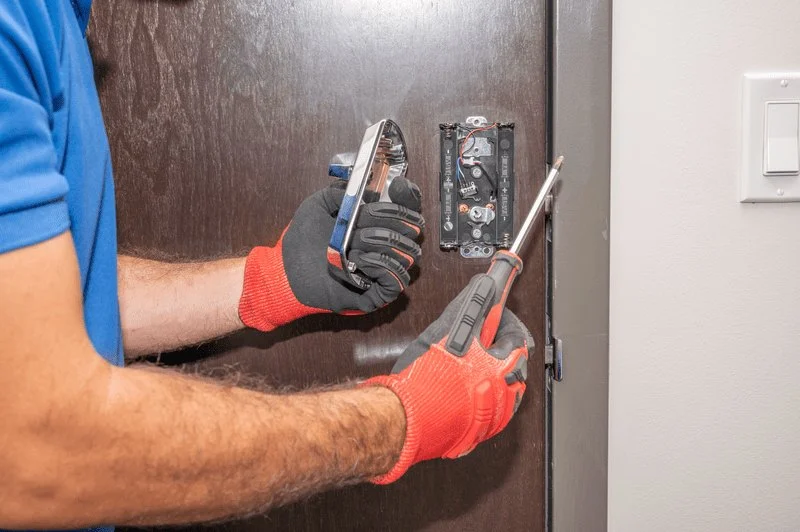
1. Understanding Smart Locks
Smart locks are electronic devices designed to secure doors while offering enhanced convenience. Unlike traditional locks, they allow keyless entry through codes, smartphones, biometric sensors, or Bluetooth connectivity.
1.1 Functionality and Features
Common features include remote access, activity logs, temporary access codes, integration with home automation systems, and auto-locking mechanisms. These functionalities influence both the initial cost and installation requirements.

Larry's Lock & Safe Services Inc.
1601 N Wayne St Suite Suite 107, Angola, IN 46703, USA
1.2 Advantages Over Traditional Locks
Smart locks provide improved security, reduce the risk of lost keys, and allow homeowners to manage access remotely. Their integration with home security systems also adds value for tech-savvy users.
2. Factors Affecting Installation Cost
The cost of installing smart locks varies based on several key factors.
2.1 Lock Type and Complexity
High-end biometric or Wi-Fi-enabled locks require more complex installation, which increases labor costs. Simpler keypad or Bluetooth models typically have lower installation fees.
2.2 Door Type and Material
Doors made from solid wood or metal may need specialized tools or modifications, which can add to labor costs. Pre-drilled or standard doors simplify installation.
2.3 Professional Labor Rates
Hourly rates for locksmiths differ regionally. Urban areas often have higher labor costs compared to suburban or rural regions, impacting overall installation expenses.
2.4 Additional System Integration
Connecting the lock to home automation or security systems requires additional setup time and expertise, affecting total costs.
3. Types of Smart Locks and Price Ranges
Understanding different smart lock options helps estimate installation costs accurately.
3.1 Keypad Smart Locks
Keypad locks allow entry via numerical codes. Prices typically range from $100 to $250 for the device, with installation fees around $50–$100 per lock.
3.2 Bluetooth Smart Locks
Bluetooth locks connect to smartphones and often allow temporary access sharing. Device costs range from $150–$300, with professional installation averaging $75–$150.
3.3 Wi-Fi and App-Controlled Locks
Wi-Fi-enabled locks allow remote monitoring and control. Devices cost $200–$400, and installation can range from $100–$200 depending on system complexity.
3.4 Biometric Fingerprint Locks
High-security fingerprint locks offer advanced access control. Devices are $250–$500, and installation can require $150–$300 due to precise alignment and integration requirements.
4. Professional Installation vs. DIY
Homeowners can choose between professional installation or DIY approaches.
4.1 Professional Installation Benefits
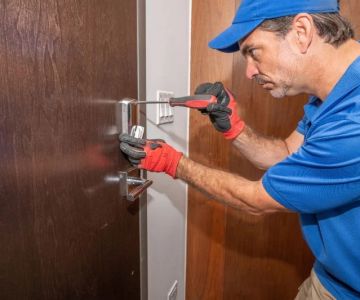
Professional locksmiths ensure proper alignment, system integration, and compliance with safety standards. They often provide warranties and troubleshooting support.
4.2 DIY Installation Considerations
Some smart locks come with easy-to-follow guides. DIY can save labor costs but requires careful handling to avoid misalignment or security vulnerabilities.
4.3 Hybrid Approach
Homeowners may install basic locks themselves while hiring professionals for advanced features or system integration, optimizing both cost and reliability.
5. Average Cost Breakdown in the US
Typical installation costs vary by lock type, door, and region.
5.1 Entry-Level Installation
Basic keypad or Bluetooth locks: $150–$350 including device and labor.
5.2 Mid-Range Installation
Wi-Fi-enabled smart locks: $300–$600 including professional setup and integration.
5.3 Premium Installation
Biometric or high-security locks with home automation: $500–$900+ depending on system complexity and number of doors.
6. Additional Fees and Considerations
Other factors can affect total cost.
6.1 Multiple Doors
Installing smart locks on multiple entry points increases total expense. Some vendors offer bundled pricing for several doors.
6.2 Battery and Maintenance Costs
Most smart locks require periodic battery replacement. Maintenance services can also add minor recurring expenses.
6.3 Warranty and Support Plans
Extended warranties or support subscriptions may slightly increase upfront costs but provide peace of mind and technical assistance.
7. Real-World Installation Examples
Practical examples illustrate cost variations across different scenarios.
7.1 Suburban Single-Door Installation
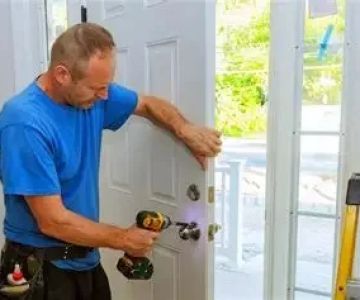
Keypad smart lock on a standard wooden door: Device $150, labor $60, total $210. Installation completed in under 30 minutes.
7.2 Urban Wi-Fi Smart Lock with Integration
Wi-Fi-enabled lock with smart home integration: Device $300, labor $150, additional hub setup $50, total $500.
7.3 Multi-Door Biometric Installation in Luxury Home
Three biometric locks with home automation: Devices $450 each, labor $250 per lock, total $2,100. Professional installation ensures optimal security and alignment.
8. Tips for Saving on Installation
Homeowners can reduce expenses without compromising security.
8.1 Compare Locksmith Quotes
Obtaining multiple quotes helps identify competitive pricing for labor and device installation.
8.2 Choose Simple Lock Models
Basic keypad or Bluetooth locks require less labor and fewer technical adjustments, reducing overall costs.
8.3 Combine Installations
Installing multiple locks in a single visit can save on service fees.
9. Long-Term Benefits and Maintenance
Investing in smart locks offers ongoing advantages.
9.1 Enhanced Security
Smart locks provide keyless access, monitoring capabilities, and alerts for unauthorized entry attempts, improving home security.
9.2 Convenience and Accessibility
Remote access, temporary codes, and app-controlled locks streamline home entry for family and guests.
9.3 Maintenance and Updates
Periodic battery replacement, firmware updates, and professional servicing ensure longevity. Locksmith Finder can connect homeowners with reliable installation and maintenance services.
By understanding cost factors, choosing the right lock type, considering professional installation, and following maintenance recommendations, homeowners can make informed decisions about smart lock installation in the US. Leveraging services from Locksmith Finder ensures secure, efficient, and cost-effective upgrades to home security.


 KeyMe Locksmiths3.0 (7 reviews)
 KeyMe Locksmiths4.0 (29 reviews)
 KeyMe Locksmiths4.0 (19 reviews)
 KeyMe Locksmiths4.0 (145 reviews)
 KeyMe Locksmiths4.0 (11 reviews)
 Minute Key5.0 (2 reviews)
 The Benefits of Installing a Wireless Security System in Your Home
 How to Upgrade Your Home Security With Minimal Effort
 How to Protect Your Home from Lock Spoofing: Expert Locksmith Tips
 How to Secure Your Basement Windows Against Break-Ins
 How to Protect Your Home From Burglary Attempts Using Smart Features
 The Benefits of Installing an Intercom System in Your Home